

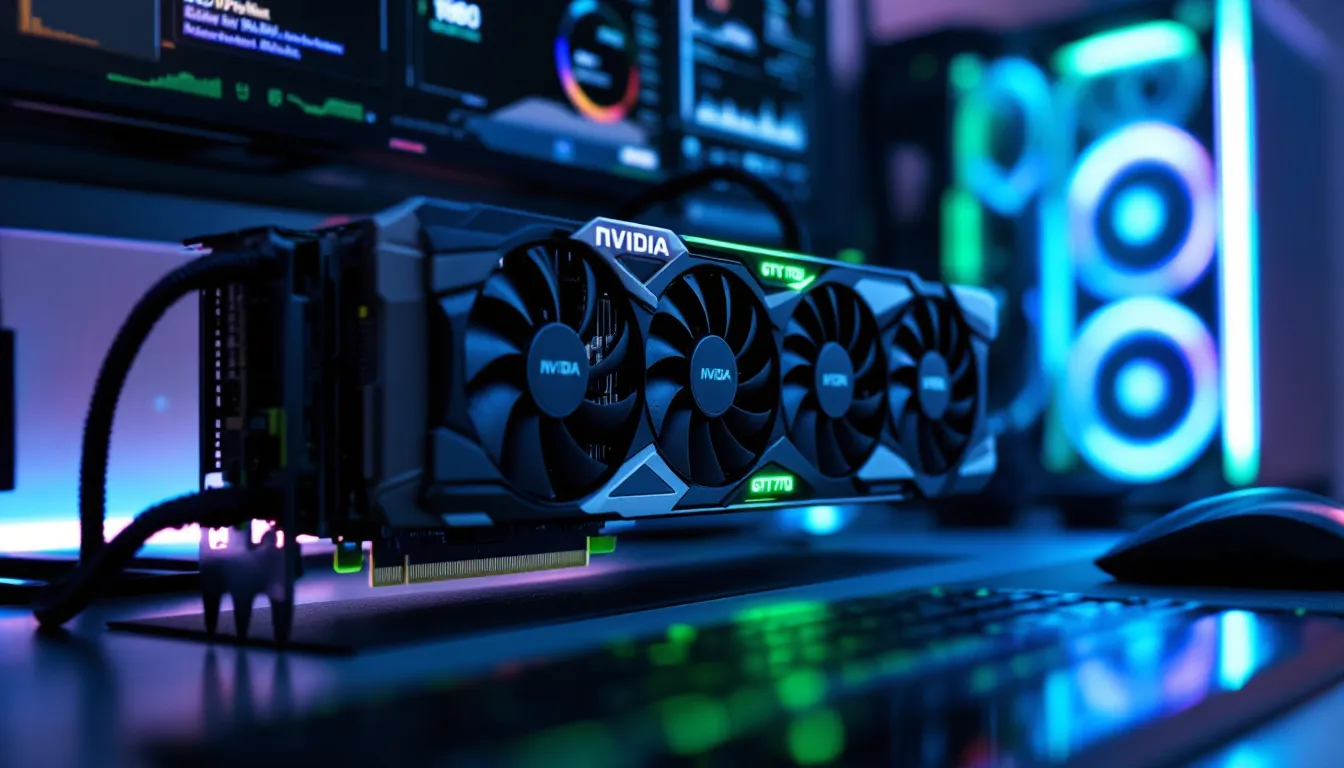

The NVIDIA GTX 970 launched over a decade ago, but in 2026, thousands of gamers still rely on this Maxwell-based GPU for their daily gaming sessions. Whether it’s budget constraints, market conditions, or simply the card refusing to die, the GTX 970 continues to punch above its weight class in an era dominated by ray-tracing behemoths and $1,200 flagships.
This guide breaks down exactly what the GTX 970 can still handle in 2026, how to squeeze every last frame from it, and when it finally makes sense to upgrade. No nostalgia-fueled fluff, just real-world benchmarks, optimization tactics, and honest assessments of where this legacy card stands today.
Key Takeaways
- The GTX 970 remains viable for 1080p gaming in 2026, excelling in esports titles (120-220 FPS) and older AAA games, but struggles with newer demanding releases due to its 3.5GB effective VRAM limitation.
- Optimizing your GTX 970 through driver management, modest overclocking (+150-200 MHz), and graphics settings tweaks can yield 8-10% performance improvements without significant heat or noise penalties.
- The controversial 3.5GB VRAM bottleneck means 970 gaming at 1440p is not recommended, with frame rates dropping below 30 FPS in graphically intensive titles.
- Pair your GTX 970 with at least an Intel i5-6600K, AMD Ryzen 5 3600, or newer CPU, 16GB RAM, and a quality 450W+ PSU to avoid bottlenecks and ensure stable performance.
- Upgrade from the GTX 970 when frame rates consistently drop below 40 FPS on Low/Medium 1080p settings or VRAM stuttering becomes frustrating; an RTX 3060 or RX 6600 XT offers 80-100% better performance and modern features.
- The GTX 970 is exceptional for indie games, retro gaming, and console emulation (PS3, PS2, GameCube), where it delivers maxed-out settings with ease.
Understanding the GTX 970: A Legacy GPU Still Relevant Today
The GTX 970 represents NVIDIA’s Maxwell architecture at its most accessible. Released in September 2014 at a $329 MSRP, it became one of the best-selling GPUs of its generation, moving millions of units before the Pascal series arrived.
What made it special wasn’t just performance, it was efficiency. Maxwell delivered a generational leap in performance-per-watt, making the GTX 970 a card that could deliver high-end gaming without requiring a nuclear reactor for a PSU.
Technical Specifications and Architecture
The GTX 970 packs 1,664 CUDA cores clocked at a base frequency of 1,050 MHz and a boost of 1,178 MHz. It features 4GB of GDDR5 memory across a 256-bit bus, delivering 224 GB/s of bandwidth. The chip is built on a 28nm process and has a TDP of 145W.
Maxwell’s architecture introduced significant improvements over Kepler:
- Improved SMM (Streaming Multiprocessor Maxwell) design with better efficiency per core
- Dynamic Super Resolution (DSR) for rendering games at higher resolutions
- MFAA (Multi-Frame Anti-Aliasing) for better AA performance
- VXGI (Voxel Global Illumination) support for enhanced lighting
The card outputs via DVI-I, DVI-D, HDMI 2.0, and three DisplayPort 1.2 connectors. It supports DirectX 12 (feature level 12_1), OpenGL 4.5, and Vulkan, though it lacks the async compute capabilities that GCN-based AMD cards from the same era possessed.
The 3.5GB VRAM Controversy Explained
In January 2015, a few months post-launch, users discovered the GTX 970 didn’t quite have 4GB of equally accessible VRAM. Testing revealed that the card actually had 3.5GB of fast memory and 512MB of slower memory, segmented due to a partially disabled memory controller.
NVIDIA initially marketed it as a full 4GB card. Once the issue surfaced, they clarified that the architecture partitioned the memory into a 3.5GB segment with full 196 GB/s bandwidth and a 0.5GB segment with 28 GB/s bandwidth. In practice, games accessing that final 512MB saw performance stutters.
The controversy led to a class-action settlement where affected buyers received $30 per card. For gaming in 2026, this matters: the GTX 970 effectively has 3.5GB of usable VRAM before performance tanks. This limitation becomes the primary bottleneck in modern titles with high-res textures.
Performance Benchmarks: What the GTX 970 Can Handle in 2026
Raw specs only tell part of the story. What matters is how the GTX 970 performs with today’s games, drivers, and system configurations.
1080p Gaming Performance Across Popular Titles
At 1920×1080, the GTX 970 remains viable for many titles, if expectations are realistic. Here’s what testing shows in early 2026 with NVIDIA’s final legacy driver (version 531.79, released January 2024, as the card is no longer receiving updates):
AAA Titles (Medium-High settings):
- Cyberpunk 2077 (2.2 update): 28-35 FPS (Medium preset, no RT)
- Red Dead Redemption 2: 35-42 FPS (Medium-High mix)
- Elden Ring: 45-55 FPS (High settings)
- Resident Evil 4 Remake: 40-50 FPS (Medium settings)
- Starfield: 25-30 FPS (Low-Medium, frequent stutters due to VRAM)
Recent releases from Tom’s Hardware testing show that games released after 2023 increasingly assume 6GB+ VRAM, which puts the 970 at a disadvantage.
Optimized/Older AAA:
- The Witcher 3 (Next-Gen update): 50-60 FPS (High, no RT)
- God of War: 45-55 FPS (Medium-High)
- Horizon Zero Dawn: 55-65 FPS (High)
- Doom Eternal: 70-90 FPS (High)
The pattern is clear: games optimized before 2022 run smoothly with settings tweaks. Newer titles struggle, especially those with mandatory texture streaming that hammers VRAM.
Esports and Competitive Gaming Capabilities
This is where the GTX 970 still shines. Competitive titles prioritize frame rate over visual fidelity, and the 970 delivers:
Esports Titles (Low-Medium competitive settings):
- Counter-Strike 2: 120-160 FPS (Low settings)
- Valorant: 180-220 FPS (Low-Medium)
- Apex Legends: 80-110 FPS (Low settings)
- Overwatch 2: 90-130 FPS (Low-Medium)
- Fortnite (Performance Mode): 100-140 FPS
- League of Legends: 180+ FPS (High)
- Rocket League: 120-160 FPS (High)
For 144Hz 1080p gaming in esports titles, the GTX 970 remains completely competent. Many competitive players deliberately lower settings anyway, which plays to the card’s strengths. Just ensure a capable CPU, more on that later.
Can the GTX 970 Handle 1440p Gaming?
Short answer: not really, not in 2026.
At 2560×1440, the GTX 970 struggles with two simultaneous issues: raw GPU horsepower and that 3.5GB VRAM wall. Testing shows:
1440p Performance (Medium settings):
- Cyberpunk 2077: 18-22 FPS (unplayable)
- Elden Ring: 28-35 FPS (choppy)
- Doom Eternal: 45-60 FPS (playable with drops)
- CS2: 80-100 FPS (acceptable for casual play)
- Valorant: 120-150 FPS (playable)
The card simply wasn’t designed for 1440p in demanding games. Esports titles remain functional, but anything graphically intensive drops below 30 FPS. Stick to 1080p.
Optimizing Your GTX 970 for Maximum Performance
Extracting maximum performance from aging hardware requires both software and hardware optimization. Here’s how to get every available frame.
Driver Updates and Best Practices
NVIDIA ended driver support for Maxwell cards with Game Ready Driver 531.79 (January 2024). The GTX 970 moved to legacy support, meaning no new game optimizations or features, but also no new bugs.
Best driver practices:
- Stay on 531.79 unless specific issues arise. Earlier drivers (like 472.12) sometimes offer better performance in older titles, but test carefully.
- Use DDU (Display Driver Uninstaller) when switching driver versions to avoid conflicts.
- Disable GeForce Experience overlay and telemetry if not used, it consumes VRAM and system resources.
- Turn off NVIDIA Highlights and Instant Replay unless actively recording.
Perform a clean Windows installation if the system has been upgraded multiple times. Driver remnants and bloatware accumulate, impacting performance more noticeably on older hardware.
Overclocking Your GTX 970 Safely
Most GTX 970s have headroom for a modest overclock. Maxwell overclocks well, and the gains, while not transformative, add up to 5-12% better performance.
Safe overclocking process:
- Download MSI Afterburner (version 4.6.5 or newer) for voltage and frequency control.
- Increase Power Limit to 110% (maximum the card allows).
- Bump Core Clock by +100 MHz increments. Test stability with Heaven Benchmark or 3DMark.
- Most GTX 970s stabilize around +150 to +200 MHz on the core. Silicon lottery applies.
- Overclock Memory by +300 to +500 MHz. Memory OC yields noticeable gains in bandwidth-limited scenarios.
- Stress test for 30+ minutes with FurMark or Heaven. Watch for artifacts, crashes, or thermal throttling.
- Monitor temperatures, Maxwell throttles above 80°C. Keep it under 75°C under load if possible.
A typical stable OC might look like: +175 MHz core, +400 MHz memory, 110% power limit. This yields a boost clock around 1,350-1,400 MHz, translating to 8-10% better frame rates.
Don’t bother with voltage increases, Maxwell’s voltage headroom is limited, and the heat/noise trade-off isn’t worth it on a card this old.
Graphics Settings Tweaks for Better Frame Rates
Knowing which settings hammer performance versus which are free helps maintain 60 FPS.
Settings to lower immediately:
- Shadows (especially Ultra/High): Drop to Medium. Massive performance gain, minimal visual loss.
- Ambient Occlusion: Use SSAO instead of HBAO+ or VXAO.
- Anti-Aliasing: Use TAA or FXAA. MSAA 4x/8x is a frame rate killer. Consider 1440p DSR with no AA instead.
- Volumetric Effects (fog, clouds): Medium or Low. These destroy frame rates.
- Draw Distance: High is usually fine: Ultra rarely necessary.
Settings to keep High/Ultra:
- Texture Quality: High/Ultra if under 3.5GB VRAM usage. Textures don’t impact frame rate much unless VRAM is maxed.
- View Distance: Minimal performance impact in most games.
- Anisotropic Filtering (16x): Virtually free on modern GPUs, including the 970.
Monitor VRAM usage with MSI Afterburner’s OSD. The instant usage hits 3.5GB, stuttering begins. Adjust texture quality and resolution accordingly.
Consider reducing resolution scale to 90% or 85% in demanding games. The visual difference is subtle, but frame rate gains are significant.
Best Games to Play on the GTX 970 in 2026
The GTX 970 isn’t meant for every game released in 2026, but there’s still a massive library of titles where it delivers excellent experiences.
AAA Titles That Still Run Great
These games were either well-optimized at launch or predate the VRAM inflation of recent years:
Action/Adventure:
- The Witcher 3: Wild Hunt (2015): 60 FPS at High, one of the best-looking games the 970 can max out.
- Metal Gear Solid V: The Phantom Pain (2015): 60+ FPS at Very High. Fox Engine optimization is incredible.
- Doom (2016) and Doom Eternal (2020): id Tech engines run beautifully. 60-90 FPS on High.
- Resident Evil 2 Remake (2019): 60 FPS on High. RE Engine scales well.
- Control (2019): 45-55 FPS on Medium (no RT). Gorgeous even without ray tracing.
Open-World:
- Grand Theft Auto V: Maxed at 60 FPS. Still looks great in 2026.
- Batman: Arkham Knight (post-patches): 60 FPS on High.
- Horizon Zero Dawn: 50-60 FPS on High with tweaks.
- Ghost of Tsushima (PC): 45-55 FPS on Medium-High.
Shooters:
- Battlefield 4/1: 60 FPS on High. BF1 holds up visually.
- Titanfall 2: Locked 60 FPS on High. Source Engine optimization.
- Halo: The Master Chief Collection: 60+ FPS across all games.
Indie Games Perfect for the GTX 970
Indie titles rarely stress the GPU, making the GTX 970 absolute overkill for most. According to TechSpot performance analysis, even demanding indie games run flawlessly:
Visually Demanding Indies:
- Hades: 144+ FPS maxed. Gorgeous art direction.
- Hollow Knight: Locked 60 FPS (or higher with mod support).
- Ori and the Will of the Wisps: 60-90 FPS on Ultra.
- Cuphead: 60 FPS locked. Art style doesn’t stress modern hardware.
- Dead Cells: 60+ FPS maxed.
Strategy/Simulation:
- Civilization VI: 60 FPS (late-game turns slow due to CPU, not GPU).
- Factorio: Runs on a toaster: GPU rarely utilized.
- Stardew Valley, Terraria, Undertale: Maxed performance.
Roguelikes:
- Risk of Rain 2: 100+ FPS.
- Enter the Gungeon, Binding of Isaac: Locked frame rates.
- Vampire Survivors: GPU usage negligible.
The GTX 970 gives indie gamers the freedom to max every setting without thought.
Retro Gaming and Emulation Excellence
Emulation is where the GTX 970 becomes a powerhouse. Modern emulators leverage GPU acceleration, and the 970 handles them with ease:
Console Emulation:
- RPCS3 (PS3): Most games run 60 FPS at native or 2x resolution. Demanding titles like The Last of Us hit 45-60 FPS.
- PCSX2 (PS2): Maxed at 4x-6x native resolution, 60 FPS locked in virtually everything.
- Dolphin (GameCube/Wii): 4x-6x native resolution, 60 FPS. Wii U emulation via Cemu handles most titles at 1080p/60.
- Yuzu/Ryujinx (Switch): Moderate success. Lighter titles (Mario, Pokémon) run 60 FPS: demanding games (BotW, Xenoblade) require heavy tweaking.
Arcade Emulation:
- MAME: Everything runs flawlessly.
- FBNeo, Sega Model 2/3 emulators: Zero issues.
Retro gaming enthusiasts will find the GTX 970 handles everything pre-PS4/Xbox One era without breaking a sweat. Combine it with shaders and upscaling for stunning results on classic titles.
Bottlenecks and System Compatibility Considerations
A GPU doesn’t exist in isolation. Pairing the GTX 970 with the right components ensures it performs at its potential without bottlenecks dragging it down.
CPU Pairing Recommendations
The GTX 970 launched alongside Intel’s Haswell and Haswell Refresh processors (4th gen). In 2026, pairing matters more than ever, especially at 1080p where CPU bottlenecks surface.
Ideal CPU pairings (no bottleneck in most scenarios):
- Intel: Core i5-4690K, i7-4790K (original era): i5-6600K, i7-6700K (Skylake): anything from 7th gen onward
- AMD: Ryzen 5 1600/2600, Ryzen 5 3600 or newer
Acceptable pairings (minor bottleneck in CPU-heavy games):
- Intel: Core i5-4460, i5-4570, i7-3770
- AMD: FX-8350, Ryzen 3 1200/1300X
Bottleneck territory:
- Intel: Core i3-4xxx series, anything older than Sandy Bridge
- AMD: FX-6300, Bulldozer/Piledriver architecture
In CPU-bound scenarios (open-world games, strategy titles, high refresh rate esports), older quad-cores without hyperthreading will limit the GTX 970. Gamers with an FX-series chip should prioritize a CPU upgrade before considering a new GPU.
Testing from Hardware Times confirms that pairing a GTX 970 with a Ryzen 5 3600 extracts 10-15% more performance versus an i5-4460 in modern titles.
RAM and Storage Requirements
RAM:
- Minimum: 8GB DDR3/DDR4. Functional but tight in 2026. Expect stutters in memory-heavy games.
- Recommended: 16GB. Modern games routinely consume 10-12GB. 16GB ensures smooth performance.
- Speed matters less with older platforms (DDR3-1600 vs DDR3-2133 yields 2-3% difference). Ryzen systems benefit more from faster RAM.
Storage:
- SSD is mandatory for modern gaming. HDD load times are painful, and texture streaming relies on fast storage to compensate for limited VRAM.
- 500GB SATA SSD minimum for OS and primary games. NVMe offers minimal FPS gains but dramatically improves load times.
- Keep 20%+ free space on the SSD. Full drives slow down, and texture streaming suffers.
Power Supply and Cooling Solutions
Power Supply:
The GTX 970’s 145W TDP is modest by modern standards. Total system power draw rarely exceeds 300W under gaming load (assuming a mid-range CPU).
Recommended PSU:
- 450W 80+ Bronze minimum for basic systems
- 550W 80+ Bronze/Gold for systems with overclocked CPUs or future upgrade headroom
- Quality matters more than wattage. A reliable 450W unit (Corsair CX, EVGA B-series) beats a sketchy 600W no-name PSU.
Ensure the PSU has a 6-pin + 8-pin PCIe power connector (or 2x 6-pin depending on GTX 970 model).
Cooling Solutions:
Most GTX 970s use dual or triple-fan coolers. Reference blower models are rare but run hotter.
Case airflow essentials:
- Front intake + rear exhaust (minimum 2 fans). Positive pressure keeps dust out.
- Keep GPU temps under 75°C during gaming. Maxwell throttles at 80°C and beyond.
- Dust buildup kills cooling efficiency. Clean GPU fans and heatsinks every 6 months.
For aging cards:
- Consider replacing thermal paste if the card is 5+ years old and running hot. Aftermarket paste (Arctic MX-5, Thermal Grizzly Kryonaut) drops temps 5-10°C.
- Thermal pads may also need replacement if VRAM or VRM temps climb abnormally.
Proper cooling extends the GTX 970’s lifespan and maintains boost clocks under sustained load.
When to Upgrade: Is It Time to Move Beyond the GTX 970?
The GTX 970 has had an incredible run, but every GPU has a shelf life. Knowing when to upgrade depends on use case, budget, and tolerance for compromises.
Modern GPU Alternatives and Upgrade Paths
Upgrading from a GTX 970 in 2026 means significant performance leaps are available, but pricing and availability vary.
Budget Tier ($150-250 used/new):
- NVIDIA GTX 1660 Super / GTX 1660 Ti: 50-60% faster, 6GB VRAM. Solid 1080p upgrade.
- AMD RX 6500 XT (new): Comparable performance, limited by 4GB VRAM. Skip unless desperate.
- Used RX 580 8GB / RX 590: 30-40% faster, 8GB VRAM helps in newer titles.
Mid-Range ($250-400 used/new):
- NVIDIA RTX 3060 (used): 12GB VRAM, 100%+ faster. Excellent 1080p/1440p card.
- AMD RX 6600 / RX 6600 XT: 80-100% faster, 8GB VRAM. Great value if found near $250.
- NVIDIA RTX 4060 (new): Current-gen efficiency, 8GB VRAM (limitation), but strong 1080p performance.
High-End ($400+):
- RTX 4060 Ti, RX 7600 XT, RTX 4070: Overkill if coming from a 970 unless jumping to 1440p 144Hz or 4K.
Performance scaling:
A GTX 1660 Super represents the minimum worthwhile upgrade (50% faster). Anything less isn’t worth the hassle. An RTX 3060 or RX 6600 XT doubles performance and solves VRAM limitations.
Price-to-Performance Analysis
In 2026, the used GPU market still matters. New budget options are limited, so value hunters look secondhand.
Calculating value:
- GTX 1660 Super (~$180 used): 50% faster = $3.60 per percentage point of performance gain.
- RTX 3060 (~$300 used): 100% faster = $3.00 per percentage point.
- RX 6600 (~$250 used): 90% faster = $2.78 per percentage point.
Best value as of Q1 2026: AMD’s RX 6600 series offers the most performance per dollar if found under $250. The RTX 3060’s extra VRAM justifies a slight premium for longevity.
Don’t upgrade just to upgrade. If the GTX 970 runs the games you play at acceptable frame rates, banking that $200-300 for a future build makes more sense than a modest generational leap.
Buying Used vs. New Graphics Cards
The used market is tempting but carries risks.
Buying used, what to watch for:
- Mining cards: GTX 970s and newer cards may have been mining Ethereum before the 2022 merge. Check for heavy wear, modified BIOSes, or thermal pad replacements.
- Warranty: None on used cards. You’re buying as-is.
- Testing: Stress test immediately with FurMark, 3DMark, and several hours of gaming. Artifacting or crashes = return.
- Pricing: Compare used prices to new. If a used card is 80%+ of new MSRP, buy new for the warranty.
Buying new, advantages:
- Manufacturer warranty (2-3 years) provides peace of mind.
- Driver support for new architectures extends lifespan.
- No unknown history of overclocking, mining, or damage.
When to go used: GPUs 2-3 generations old (GTX 1660, RTX 2060, RX 5600 XT) offer great value used. Current-gen cards should be bought new unless deals are exceptional.
When to upgrade from the GTX 970:
- VRAM limitations cause stuttering in most games played.
- Frame rates drop below 40 FPS consistently at Low/Medium 1080p.
- New game releases are unplayable even with all tweaks applied.
- Budget allows a 70%+ performance jump (e.g., RTX 3060, RX 6600 XT or better).
If the GTX 970 still handles the games you play, ride it out. But if compromises become frustrating, 2026’s used market offers solid upgrade paths.
Troubleshooting Common GTX 970 Issues
After 10+ years, GTX 970 cards develop predictable issues. Here’s how to diagnose and fix the most common problems.
Thermal Throttling and Overheating Solutions
Symptoms:
- Frame rates dropping suddenly after 15-30 minutes of gaming
- GPU temps hitting 80-85°C+
- Fans spinning at 100% constantly
- Clock speeds dropping below base frequency
Causes and fixes:
Dust buildup (most common):
- Solution: Disassemble the cooler and clean heatsink fins, fan blades, and PCB with compressed air. Use isopropyl alcohol (90%+) on stubborn grime.
- Frequency: Every 6-12 months depending on environment.
Dried thermal paste:
- Solution: Remove cooler, clean old paste with isopropyl alcohol, apply new thermal paste (Arctic MX-5, Noctua NT-H1, Thermal Grizzly Kryonaut). Use a rice grain-sized dot in the GPU die center.
- Expected result: 5-12°C temp drop.
Failing thermal pads:
- Solution: If VRAM or VRM temps are high (check with HWiNFO64), replace thermal pads. Use 1mm-1.5mm pads (check disassembly guides for your specific model).
- Common on: EVGA, MSI, Gigabyte models after 7+ years.
Poor case airflow:
- Solution: Add front intake fans, ensure rear exhaust is functional. Remove any blockages (cables, drive cages) near GPU.
- Tip: Vertical GPU mounts often choke airflow. Keep the card in standard horizontal orientation.
Fan failure:
- Solution: If one or more fans aren’t spinning, replace fans or the entire cooler. Aftermarket GPU coolers (Arctic Accelero, RAIJINTEK Morpheus) fit many GTX 970 models.
- DIY fix: Some users replace failed fans with case fans zip-tied to the heatsink, not pretty, but functional.
Artifact Issues and Display Problems
Symptoms:
- Visual glitches (lines, squares, flickering textures)
- Screen flickering or tearing
- Driver crashes with “Display driver stopped responding” errors
- Black screens during gaming
- System crashes under GPU load
Causes and fixes:
Unstable overclock:
- Solution: Reset all overclocks to stock. If artifacts disappear, reduce OC incrementally until stable.
Dying VRAM:
- Symptoms: Artifacts appear at specific VRAM usage thresholds, especially when hitting 3.5GB+.
- Solution: Reduce texture quality and resolution. If artifacts persist at low settings, the VRAM may be failing.
- No real fix: Hardware failure. This signals end-of-life for the card.
Driver corruption:
- Solution: Use DDU to uninstall drivers in Safe Mode, reinstall 531.79 fresh.
- Check: Ensure no conflicting GPU drivers (AMD, Intel iGPU) if system has multiple graphics processors.
Failing PCIe slot or riser cable:
- Solution: Test the GPU in a different PCIe slot. If using a riser cable (common in SFF cases), test with direct motherboard connection.
- Symptom: Artifacts or crashes appear randomly, not tied to temps or load.
Power delivery issues:
- Solution: Check PCIe power cables are fully seated. Test with different PCIe power cables if PSU is modular.
- Aging PSU: If the PSU is 7+ years old, voltage sag under load may cause instability. Test with a different PSU if possible.
Capacitor aging:
- Symptoms: System instability, crashes, or shutdowns under sustained GPU load.
- Advanced fix: Visual inspection of the PCB for bulging or leaking capacitors. If present, the card is dying. Skilled users can replace capacitors (SMD soldering required), but it’s rarely worth the effort.
Display cable issues:
- Often overlooked: Flickering or artifacting can result from a bad HDMI/DisplayPort cable or monitor issue. Test with a different cable and monitor.
When to call it:
If artifacts persist at stock clocks, low settings, and after driver reinstall, especially if they worsen over time, the GPU silicon is degrading. It’s end-of-life. No amount of tweaking will fix dying hardware.
Conclusion
The GTX 970 has outlasted expectations, delivering a decade of gaming and showing that well-optimized hardware doesn’t expire just because newer cards exist. In 2026, it’s still a capable 1080p card for esports, older AAA titles, indie games, and emulation, if expectations are realistic and settings are dialed in.
But there’s no denying the 3.5GB VRAM limitation and lack of driver updates are closing the window. For gamers prioritizing new releases or higher resolutions, it’s time to plan an exit strategy. For everyone else still getting smooth frame rates in the games they love, there’s no shame in riding the Maxwell wave a little longer.
Know the card’s limits, optimize what you can, and upgrade when performance no longer meets your needs, not when the internet says you should.