

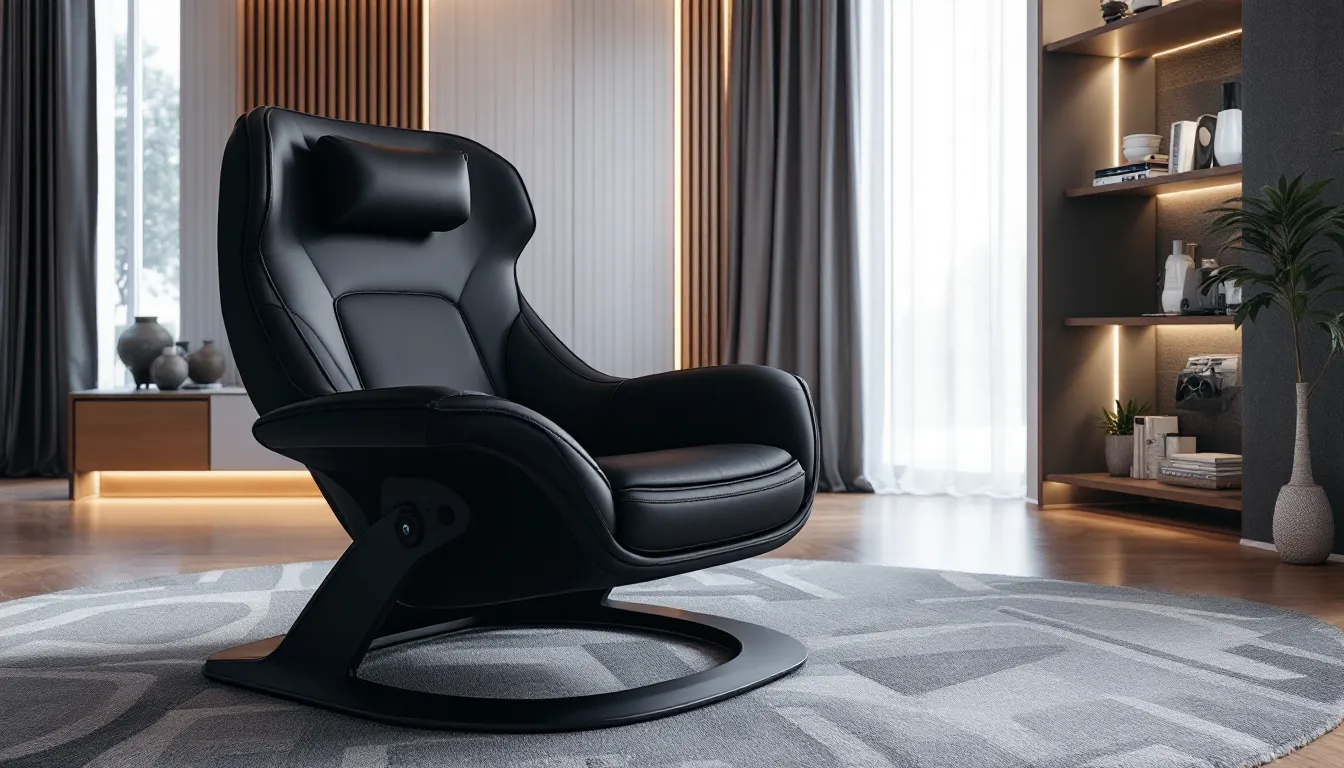

Long sessions are part of the deal. Whether you’re grinding ranked matches, burning through a story-driven marathon, or settling in for a weekend raid, your seating can make or break the experience. Traditional gaming chairs lock you upright at a desk, which works fine for competitive play, but what about those times you want to lean back, controller in hand, and actually relax?
That’s where gaming lounge chairs come in. They’re built for the gamer who wants flexibility: comfort for extended console sessions, reclining options for single-player campaigns, and often some extra tech like built-in speakers or vibration feedback. They’re not just oversized recliners with RGB lighting slapped on. The right gaming lounge chair bridges the gap between performance and comfort, letting you stay in the game longer without wrecking your back or losing immersion.
This guide breaks down everything you need to know, what sets these chairs apart, which features actually matter, and how to pick one that fits your setup, platform, and budget.
Key Takeaways
- A gaming lounge chair prioritizes comfort and reclining flexibility over the upright desk-focused posture of traditional gaming chairs, making it ideal for console and controller-based gameplay.
- Gaming lounge chairs differ significantly in style—floor rockers for consoles, reclining chairs for multi-platform versatility, and pod-style designs for VR—each optimized for different gaming platforms and play sessions.
- Ergonomic design with adjustable lumbar support, adequate seat depth, and flexible reclining angles (ideally multiple lockable positions) are critical features that prevent back pain during extended gaming sessions.
- Built-in audio, vibration motors, and wireless connectivity enhance immersion in gaming lounge chairs, but prioritize these features only after confirming comfort, durability, and proper lumbar support.
- Spend $200–$300 for mid-tier to premium quality; budget models under $150 rarely last beyond a year, while higher-end gaming lounge chairs ($300–$500+) offer steel frames, memory foam, and advanced features that justify the investment.
- Optimal positioning is 1.5–2.5 times your TV’s diagonal measurement away, with eyes landing at the screen’s center; combine this with wireless peripherals, cable management, and regular maintenance to maximize comfort and chair longevity.
What Is a Gaming Lounge Chair and Why Does It Matter?
A gaming lounge chair is designed for laid-back play, prioritizing comfort and recline over the upright, desk-focused posture of traditional gaming chairs. Think of it as the difference between a racing seat and a La-Z-Boy, both have their place, but they serve different needs.
These chairs are built for console gamers, couch co-op sessions, and anyone who prefers controllers over keyboard and mouse. They’re also popular with VR users, sim racers, and players who rotate between platforms. The core appeal is simple: you can game for hours without feeling like you’ve been locked in an office chair.
How Gaming Lounge Chairs Differ from Traditional Gaming Chairs
Traditional gaming chairs are desk chairs with extra lumbar support, adjustable armrests, and aggressive styling. They’re built for PC gamers who need to sit upright with a keyboard and mouse within arm’s reach. Gaming lounge chairs ditch that structure entirely.
Instead of a high back and wheeled base, lounge chairs sit low to the ground or offer deep recline angles. Many floor rocker models don’t have legs at all, they rest directly on the floor and rock back and forth. Others resemble recliners but swap out the footrest for built-in speakers, subwoofers, or wireless connectivity.
The materials differ too. While traditional gaming chairs lean on PU leather and foam padding, lounge chairs often use breathable mesh, memory foam, or even bean bag fill depending on the style. Armrests might be fixed or absent entirely, replaced by side pockets for controllers and snacks.
Who Benefits Most from a Gaming Lounge Chair?
Console players get the most immediate value. If you’re playing on PlayStation, Xbox, or Switch, you’re already using a controller and probably sitting a few feet from your TV. A lounge chair is purpose-built for that setup.
Sim racers and VR enthusiasts also benefit. Cockpit-style lounge chairs let you lean back during long driving sessions in Gran Turismo 7 or Forza Motorsport, and recline options are ideal for seated VR experiences where you’re not standing or moving around.
Casual gamers and streamers who rotate between gaming and watching content will appreciate the versatility. A good lounge chair doubles as a home theater seat, making it useful even when you’re not actively playing.
Key Features to Look for in a Gaming Lounge Chair
Not all lounge chairs are created equal. Some are glorified cushions, others are full-on multimedia command centers. Here’s what separates the good from the mediocre.
Ergonomic Design and Reclining Capabilities
Lumbar support matters even when you’re lounging. Cheap chairs skimp here, leaving you with lower back pain after a few hours. Look for chairs with built-in lumbar curves or removable pillows that let you dial in the support.
Reclining range is the big differentiator. Some chairs offer a fixed recline angle (usually around 110-135 degrees), while premium models go full flat or include multiple lockable positions. If you’re planning to game and nap, adjustable recline is non-negotiable.
Seat depth and width determine whether you’ll feel cramped or relaxed. If you’re over six feet tall or have a broader build, check dimensions before buying. Many floor rockers are sized for average frames and feel tight if you don’t fit the mold.
Built-In Audio, Vibration, and Immersive Tech
This is where gaming lounge chairs flex. Built-in speakers are common, usually positioned near the headrest for directional audio. Entry-level models use basic stereo drivers, while higher-end options include subwoofers for bass-heavy games like Call of Duty or Helldivers 2.
Vibration motors sync with in-game audio or controller feedback, adding tactile immersion during explosions or crashes. It’s a gimmick for some, a game-changer for others, especially in racing or action titles. The quality varies wildly, so check reviews to see if the motors feel punchy or just buzzy.
Wireless connectivity is standard on most modern chairs. Bluetooth pairing lets you connect to your console, PC, or phone without running cables across your room. Some chairs also include aux inputs and RCA jacks for wired setups.
RGB lighting shows up on a handful of models. It’s purely aesthetic and usually the first thing to break, so don’t prioritize it unless you’re committed to the RGB ecosystem.
Material Quality and Durability Considerations
Fabric vs. faux leather is the first choice. Fabric breathes better and holds up longer, but it’s harder to clean. Faux leather wipes down easily but can peel or crack after a year or two, especially in warm climates.
Stitching and seams reveal build quality. Double-stitched seams and reinforced stress points (armrests, recline hinges) mean the chair won’t fall apart after six months of use. Experts at testing facilities like RTINGS often evaluate durability under extended use conditions.
Frame material ranges from steel to molded plastic. Steel frames cost more but handle heavier weights and last longer. Plastic is fine for lighter users but tends to creak and flex over time.
Storage and Cup Holder Add-Ons
Side pockets are surprisingly useful. Most lounge chairs include at least one for stashing controllers, phones, or remotes. Some add mesh pockets for cables or charging docks.
Cup holders prevent spills, which is reason enough to prioritize them. Integrated holders beat clip-on accessories, they’re sturdier and don’t wobble when you shift your weight.
Headphone hooks and cable clips round out the extras. They’re small touches, but they keep your space organized and your peripherals within reach.
Top Gaming Lounge Chair Styles and Their Best Use Cases
Gaming lounge chairs come in a few distinct styles, each optimized for different platforms and play styles. Here’s how to match the chair to the session.
Floor Rocker Chairs for Console Gaming
Floor rockers sit directly on the ground and pivot on a curved base, letting you rock back and forth. They’re the most popular style for console players, especially on PlayStation and Xbox.
Most floor rockers are compact, fitting easily in front of a TV or monitor. They’re also lightweight, easy to move if you need to clear space or game in different rooms. The low profile keeps you closer to the screen, which works well for smaller setups or dorm rooms.
Many floor rockers include built-in speakers and subwoofers positioned near your head and back. The X Rocker Pro Series is a long-standing example, offering 2.1 audio and vibration feedback at a mid-tier price point. Newer models from brands like RESPAWN and Homall add wireless connectivity and USB charging ports.
The downside? Limited back support for taller players and no legroom adjustments. If you’re over 6’2″ or prefer to stretch out, floor rockers can feel restrictive.
Reclining Lounge Chairs for PC and Multi-Platform Setups
Reclining lounge chairs look more like traditional recliners but are built with gaming in mind. They offer adjustable backrests, footrests, and often swivel bases, making them versatile enough for PC, console, and streaming.
These chairs handle longer sessions better than floor rockers. The added lumbar support and legroom mean you can game for six-plus hours without cramping up. Some models include tray tables or side-mounted controller holders, bridging the gap between desk and couch gaming.
The Homall Gaming Recliner and similar models target this segment, offering PU leather construction, 360-degree swivel, and massage functions on premium tiers. They’re bulkier than floor rockers, so you’ll need more floor space.
Reclining chairs work well for multi-platform players who rotate between keyboard/mouse and controller. The swivel base lets you turn toward your desk for competitive PC games, then recline back for console sessions.
Bean Bag and Pod-Style Chairs for Casual Play
Bean bag chairs have come a long way from the dorm-room staples of the past. Modern gaming bean bags use memory foam fill instead of cheap beads, offering better support and shape retention.
They’re the most portable option, easy to move, store, or even take to a friend’s place for couch co-op. They’re also the most affordable, with entry-level models starting around $80-$150.
The downside is durability. Even high-quality bean bags lose their shape after a year or two of heavy use, and the lack of structure means zero lumbar support. They’re best for casual play, short sessions, or secondary seating when friends come over.
Pod-style chairs are a niche offshoot, enclosed, egg-shaped designs that cocoon the player. They’re rare and expensive, but they offer serious immersion for VR or sim racing. Think of them as a dedicated cockpit rather than a general-use chair.
How to Choose the Right Gaming Lounge Chair for Your Setup
Picking the right chair means matching it to your platform, space, and budget. Here’s how to narrow it down.
Matching Your Chair to Your Gaming Platform
Console players should prioritize floor rockers or reclining chairs with built-in audio. Controllers work best when you’re leaning back, and wireless connectivity keeps cables out of the way.
PC gamers who use a controller can get away with a reclining lounge chair, but anyone sticking with keyboard and mouse should stick to a traditional gaming chair. Lounge chairs don’t offer the desk proximity or arm positioning needed for competitive FPS or RTS play.
VR and sim racers benefit from recline and swivel features. Many racing games and seated VR experiences last hours, so lumbar support and adjustable positioning matter more than flashy audio features. Reviews from experienced sim racers and setup guides often reference preferred configurations found on communities like ProSettings, where pro players share their full rig details.
Multi-platform players need versatility. A reclining chair with a swivel base lets you pivot between your desk and TV without swapping seats.
Space Constraints and Room Layout
Measure your space before buying. Floor rockers need about 3-4 feet of clearance in front of your screen. Reclining chairs require 5-6 feet when fully extended, plus room to swivel if applicable.
If you’re gaming in a bedroom or small apartment, compact floor rockers are the safer bet. They’re also easier to store or push aside when not in use.
Larger setups, dedicated game rooms, basements, or home theaters, can accommodate reclining chairs or even pod-style designs. Just make sure the chair doesn’t block foot traffic or other seating.
Budget vs. Premium: What You Get at Each Price Point
Under $150: Basic floor rockers with stereo speakers and fabric upholstery. Limited recline, no vibration, and marginal build quality. Fine for casual use but expect to replace it within a year or two.
$150-$300: Mid-tier floor rockers and entry-level recliners. You’ll get 2.1 audio, vibration motors, wireless connectivity, and better padding. Build quality improves, and warranties are more common.
$300-$500: Premium recliners with adjustable lumbar support, massage functions, and higher-grade materials. Expect steel frames, memory foam, and multi-position recline. Some models add USB charging and swivel bases.
$500+: Top-tier chairs with full surround sound, advanced vibration systems, and cockpit-style designs. Aimed at enthusiasts and sim racers. Overkill for most players, but the build quality and features justify the price if you’re logging serious hours.
Setting Up Your Gaming Lounge Chair for Maximum Comfort
Buying the right chair is half the battle. Setup and positioning determine whether it actually delivers on comfort.
Optimal Positioning Relative to Your Screen
For TV gaming, sit about 1.5 to 2.5 times the screen’s diagonal measurement away. A 55-inch TV means 6-10 feet of distance. Too close and you’ll strain your neck tracking action across the screen. Too far and you’ll miss details in HUD elements or distant enemies.
Monitor gaming (24-32 inches) works best at 2-4 feet. If your lounge chair reclines too far back, you’ll lose the ideal viewing angle and have to crane your neck forward, negating the comfort benefits.
Angle matters too. Your eyes should land roughly at the center of the screen when you’re in your natural seated position. If you’re looking up or down more than 10-15 degrees, adjust the chair or mount the screen differently.
Cable Management and Peripheral Accessibility
Wireless peripherals are your best friend. Bluetooth controllers, wireless headsets, and Wi-Fi-connected consoles eliminate cable clutter. If your chair includes built-in speakers, run a single audio cable to your console or use Bluetooth pairing.
For wired setups, use cable clips or Velcro ties to route cords along the chair’s base or frame. Loose cables are trip hazards and get yanked out mid-match if you shift positions.
Keep controllers and remotes within arm’s reach. Use the chair’s side pockets or add a small side table. Reaching across the room mid-game breaks immersion and wears you out faster than you’d think.
Charging stations near your chair prevent dead controller moments. Some premium lounge chairs include USB ports, but if yours doesn’t, a power strip tucked behind the chair works fine.
Maintaining and Cleaning Your Gaming Lounge Chair
Gaming chairs take a beating. Sweat, spilled drinks, and crumbs are inevitable. Regular maintenance keeps your chair from turning into a biohazard.
Fabric Care and Stain Prevention
Fabric chairs need vacuuming every few weeks to pull out dust and crumbs. Use the upholstery attachment on your vacuum and go over seams and crevices where debris collects.
For stains, spot-clean immediately. Blot (don’t rub) with a damp cloth and mild detergent. Rubbing pushes stains deeper into the fabric. For tougher spots, upholstery cleaner or a steam cleaner works, but test on a hidden area first to avoid discoloration.
Faux leather is easier, wipe it down with a damp microfiber cloth weekly. Avoid harsh chemicals: they dry out the material and cause cracking. A leather conditioner every few months keeps the surface supple.
Removable covers are a godsend. If your chair has them, throw them in the wash monthly. Use cold water and air dry to prevent shrinking.
Mechanical and Electronic Component Upkeep
Recline mechanisms need occasional lubrication. If your chair starts creaking or sticking, apply a silicone-based lubricant to the hinges and pivot points. Avoid WD-40, it attracts dust and gums up over time.
Vibration motors and speakers don’t need much maintenance, but keep them dust-free. Use compressed air to blow out vents and speaker grills every couple of months. Dust buildup can muffle audio or cause motors to overheat.
Wireless modules (Bluetooth, RF transmitters) occasionally lose connection. Reset them according to the manual if pairing issues crop up. Firmware updates are rare but worth checking if your chair has a companion app.
Inspect seams and stitching every few months. Loose threads or splitting seams can unravel quickly. Catch them early and you can hand-stitch or patch before the damage spreads.
Common Mistakes to Avoid When Buying a Gaming Lounge Chair
A few missteps can leave you with buyer’s remorse. Here’s what to watch out for.
Ignoring weight limits. Most chairs list a max weight capacity, usually between 200-300 lbs. Exceed it and you’ll wear out the frame and padding in months. If you’re near the limit, size up to a chair with a higher rating.
Prioritizing features over comfort. RGB lighting and built-in cup holders are cool, but they don’t matter if the chair hurts your back after an hour. Sit in the chair if possible, or at least read reviews that mention long-session comfort.
Skipping dimension checks. “Gaming lounge chair” covers everything from compact floor rockers to full recliners. Measure your space and compare it to the chair’s footprint, especially the reclined dimensions. It’s easy to underestimate how much room a chair needs when the backrest tilts back.
Overlooking return policies. Chairs are personal. What works for one player might be miserable for another. Buy from retailers with flexible return windows so you can test the chair at home for a week or two.
Buying based on aesthetics alone. A chair that looks sick in product photos might feel cheap in person. Material quality, stitching, and frame construction matter more than color schemes. Technology outlets like TechRadar often break down build quality in their gaming furniture reviews.
Going too cheap. Budget chairs under $100 rarely last a year. Spending an extra $50-$100 usually nets you better padding, stronger frames, and actual warranties. It’s worth it if you’re gaming more than a few hours a week.
Gaming Lounge Chairs for VR and Simulation Enthusiasts
VR and sim racing push lounge chairs into specialized territory. Standard designs work fine for casual VR, but dedicated setups take immersion further.
Swivel bases are essential for VR titles that involve turning or looking around. Fixed chairs force you to twist your body awkwardly, breaking immersion and causing neck strain. A 360-degree swivel lets you rotate naturally.
Reclining options benefit seated VR experiences like Microsoft Flight Simulator in VR or cockpit-based games. Leaning back mimics the seated posture in a real cockpit, adding to the realism.
Armrests and side supports help during long VR sessions. They give you a stable reference point when you can’t see your actual surroundings. Some sim racers remove armrests entirely to fit racing wheels and pedal setups, so adjustable or removable armrests are a plus.
Vibration feedback shines in sim racing. Chairs with multi-zone motors can sync with racing games to simulate rumble strips, crashes, or engine vibrations. It’s not as advanced as a dedicated haptic rig, but it’s a solid middle ground without the four-figure price tag.
For serious sim racers, cockpit-style lounge chairs or dedicated racing seats beat general-purpose lounge chairs. They’re built to mount steering wheels, shifters, and pedal sets, and they position your body in a realistic driving posture. Brands like Playseat and Next Level Racing dominate this niche, but they’re not versatile, these chairs are single-purpose.
Casual VR players can get away with a quality reclining chair. Just make sure it swivels and offers decent lumbar support for those marathon Half-Life: Alyx sessions.
Conclusion
Gaming lounge chairs aren’t just a luxury, they’re a practical upgrade if you’re putting in serious hours on console, VR, or multi-platform setups. The right chair keeps you comfortable through extended sessions, adds immersion with audio and vibration features, and adapts to your space and play style.
Focus on ergonomics first. Built-in speakers and RGB are nice, but if the chair wrecks your posture or feels cramped, you won’t use it. Match the style to your platform, floor rockers for consoles, recliners for multi-platform flexibility, and swivel bases for VR or sim racing.
Measure your space, check weight limits, and don’t skimp on build quality. A $200-$300 chair will outlast and outperform a $100 model every time. And if you can, test before you buy. Comfort is subjective, and what works for someone else might not click for you.
Set it up right, distance from the screen, cable management, and peripheral access all matter. Then maintain it. A little cleaning and occasional lubrication will keep your chair going for years instead of months.
Whether you’re grinding ranked lobbies, exploring open worlds, or racing laps in a sim rig, the right lounge chair makes the difference between logging off sore and staying in the zone.