

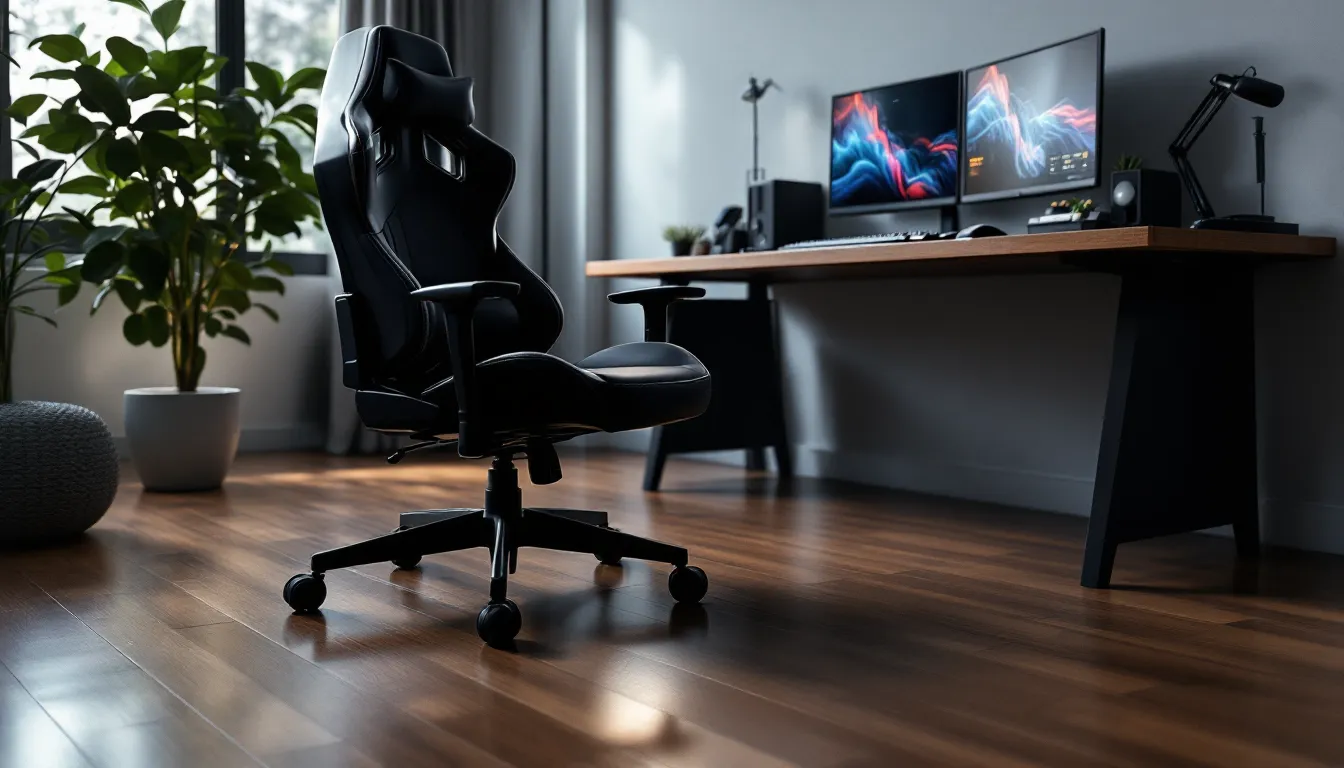

Most gamers obsess over their monitor’s refresh rate, their mouse’s DPI, or their headset’s audio profile. But wheels? Those little plastic things under the chair get ignored until they’re scratching up hardwood floors or refusing to budge across carpet during a clutch moment.
Here’s the thing: gaming chair wheels affect your setup more than you realize. They determine whether you can reposition smoothly mid-match, whether your floors stay pristine after a year of use, and whether that annoying squeaking ruins your stream audio. Upgrading or replacing them isn’t just maintenance, it’s a quality-of-life boost that impacts every gaming session.
This guide breaks down everything about gaming chair wheels in 2026: types, materials, floor compatibility, when to replace them, and how to avoid common issues that plague stock casters. Whether you’re rolling on hardwood, carpet, or tile, there’s a wheel setup that’ll keep things smooth.
Key Takeaways
- Gaming chair wheels directly impact mobility, floor protection, noise levels, and ergonomic stability during long gaming sessions lasting 4-6 hours or more.
- Rollerblade-style wheels with polyurethane coating are the best upgrade for hardwood and laminate floors, while hard plastic casters work better on thick carpet to prevent sinking and resistance.
- Replace gaming chair wheels when you notice flat spots, reduced rotation, persistent noise, or visible floor damage—typically every 1-2 years for standard casters and 3-5 years for quality rollerblade wheels.
- Proper installation requires matching stem compatibility (most use 7/16″ stems), pushing firmly until you feel a click, and testing all wheels on your actual floor to ensure smooth rolling.
- Regular maintenance including cleaning every 2-3 months, lubricating sealed bearings annually with dry lubricant, and checking for wear quarterly can extend wheel lifespan to 4-5 years.
Why Gaming Chair Wheels Matter More Than You Think
Gaming chair wheels aren’t just about mobility. They’re the contact point between your entire setup and the floor, and that relationship dictates a surprising amount.
First, there’s floor protection. Standard plastic casters, the ones that come with most budget and mid-range chairs, can leave scuff marks, scratches, and even gouges on hardwood or laminate. Over months of use, those marks add up, especially if you’re repositioning frequently during intense sessions. Cheap wheels also pick up debris like hair, dust, and carpet fibers, which get dragged across surfaces and accelerate wear.
Then there’s mobility. If your wheels don’t roll smoothly, you’re fighting friction every time you adjust your position. That split-second delay when you need to lean into your desk for a clutch play? That’s your wheels failing you. Conversely, wheels that roll too easily on hard floors can cause drift, where your chair slides backward during gameplay without input.
Noise is another factor. Wheels that squeak, rattle, or grind create background noise that’s annoying in solo play and unacceptable if you’re streaming or recording. Many streamers don’t realize their chair is the source of audio issues until they swap the wheels.
Finally, stability matters for posture and ergonomics. Wheels that lock or provide controlled resistance help maintain proper seating position during long sessions, reducing strain on your lower back and neck. Gaming sessions regularly stretch past 4-6 hours for many players, having a stable base isn’t a luxury, it’s a necessity.
Understanding the Different Types of Gaming Chair Wheels
Not all gaming chair wheels are built the same. The type of caster determines rolling resistance, floor compatibility, noise levels, and durability. Here’s what’s available in 2026.
Standard Plastic Casters: The Default Option
Standard plastic casters are what ship with most gaming chairs under $300. They’re made from hard nylon or polypropylene and feature a simple wheel-on-stem design. These wheels work adequately on low-pile carpet but struggle on hard surfaces.
The problem? Hard plastic on hardwood creates friction and often leaves marks. The wheels also lack any cushioning, so every roll transmits vibration and noise directly to the floor. They’re functional, but they’re the bare minimum.
Expect a lifespan of 1-2 years with regular use before they start showing flat spots, cracks, or reduced rotation. They’re cheap to replace, usually $15-25 for a set of five, but you get what you pay for.
Rollerblade-Style Wheels: The Premium Upgrade
Rollerblade-style wheels (also called inline skate casters) are the go-to upgrade for serious gamers in 2026. Instead of a single hard plastic wheel, each caster features a polyurethane (PU) coating or multiple smaller wheels embedded in the design, mimicking actual rollerblade wheels.
The benefits are immediate. PU material is softer and grippier, which means smooth, near-silent rolling on hardwood, laminate, and tile without leaving marks. The added surface area distributes weight better, reducing pressure points on flooring. Many rollerblade wheels also feature sealed bearings (often rated 608 or similar) that resist dust and hair buildup.
They’re slightly heavier than plastic casters, which actually helps with stability, your chair won’t drift as easily. Gaming hardware reviews consistently rank rollerblade wheels as one of the best chair upgrades for under $50. Expect to pay $30-60 for a quality set of five, with lifespans extending 3-5 years under normal use.
One caveat: rollerblade wheels can struggle on thick carpet or shag rugs because the softer material sinks in and increases rolling resistance. They’re optimized for hard floors.
Locking and Stationary Wheels
Locking wheels feature a brake mechanism, usually a foot-activated lever, that prevents rotation when engaged. These are useful if you want your chair to stay perfectly still during intense moments or if your floor has a slight incline causing drift.
Some gamers mix locking and non-locking wheels: two locking casters on the front, three standard on the back. This setup provides controlled mobility without full lockdown.
Stationary wheels (or glides) replace rolling casters entirely with fixed bases, essentially turning your gaming chair into a stationary seat. These are rare in gaming setups but can be useful for players who never move their chair and want maximum stability. The downside is obvious: zero mobility. If you need to adjust position or stand up, you’re lifting the entire chair.
How to Choose the Right Wheels for Your Floor Type
Floor type is the single biggest factor when choosing gaming chair wheels. What works on carpet can destroy hardwood, and vice versa. Here’s how to match wheels to your surface.
Hardwood and Laminate Floors
Hardwood and laminate are beautiful but vulnerable. Hard plastic casters will scratch these surfaces over time, especially if debris gets caught in the wheels.
Best choice: Rollerblade-style wheels with polyurethane coating. The softer material grips without gouging, and the increased surface area spreads weight to prevent dents. Look for wheels explicitly labeled “hardwood safe” or “floor-friendly.”
Alternative: Rubberized wheels with a durometer rating between 70A-85A (softer rubber). These provide similar protection but may wear out faster than PU wheels.
Avoid: Hard nylon or plastic casters unless you’re using a chair mat. Even then, the mat itself can trap debris that scratches the floor underneath.
Many professional gaming setups prioritize floor protection alongside performance, especially in shared or rental spaces where damage deposits are on the line.
Carpet and Thick Rugs
Carpet creates the opposite problem: too much resistance. Soft wheels sink into the fibers, making movement sluggish and tiring.
Best choice: Hard plastic or nylon casters with a narrow profile. These cut through carpet fibers more easily and maintain smooth rolling. Look for wheels with a diameter of at least 2.5 inches, larger wheels roll over carpet texture better.
Alternative: Dual-wheel casters, which distribute weight across two smaller wheels per mount point. These prevent sinking while maintaining mobility.
Avoid: Rollerblade wheels on thick carpet. The soft PU material gets bogged down, and you’ll end up fighting the chair to move. Save those for hard floors.
If you’re on low-pile office carpet (common in gaming rooms and home offices), standard plastic wheels work fine. For plush or shag carpet, consider a chair mat to create a smooth rolling surface.
Tile and Concrete Surfaces
Tile and concrete are durable but hard, which means noise and vibration are bigger concerns than damage.
Best choice: Rollerblade wheels with good bearings. The PU material dampens noise, and quality bearings ensure smooth, quiet rolling. Sealed bearings are especially useful on concrete, which tends to generate more dust.
Alternative: Rubberized wheels if you want maximum grip and minimal drift. These are common in office environments but work well for gaming setups on tile.
Avoid: Cheap plastic wheels. They’ll work, but the noise on hard tile is grating, and the lack of cushioning transmits every bump and crack in the surface directly to the chair.
Concrete floors in basements or garages may have slight imperfections or texture. Larger-diameter wheels (3 inches or more) handle these better than smaller casters.
When to Replace Your Gaming Chair Wheels
Gaming chair wheels don’t last forever. Even quality casters degrade with use, and continuing to roll on worn wheels accelerates floor damage and reduces mobility.
Replace your wheels if you notice:
- Flat spots or uneven wear: If wheels no longer appear round or have visible flat sections, they’ll cause jerky, uneven rolling and increase floor wear.
- Cracks or chips: Damaged wheels can shed plastic fragments, scratch floors, and fail completely without warning.
- Reduced rotation: Wheels that don’t spin freely or require extra effort to move indicate bearing failure or debris buildup that can’t be cleaned.
- Persistent noise: Squeaking, grinding, or clicking sounds that don’t go away after cleaning usually mean internal bearing damage.
- Visible floor damage: If you’re seeing new scratches, scuff marks, or gouges that weren’t present before, your wheels are the culprit.
For standard plastic casters, expect replacement every 12-24 months with regular use (4+ hours daily). Rollerblade wheels typically last 3-5 years under similar conditions, though the PU coating may show wear before the wheel fails structurally.
If you’ve recently moved to a different floor type, say, from carpet to hardwood, it’s worth replacing wheels even if they’re not visibly worn. Wheels optimized for one surface can damage another.
Weight also matters. Heavier users (200+ lbs) will see faster wear on wheels due to increased pressure per caster. Upgrading to heavy-duty or reinforced casters can extend replacement intervals significantly.
Step-by-Step Guide to Replacing Gaming Chair Wheels
Swapping gaming chair wheels is one of the easiest hardware upgrades you can do, no tools required in most cases. Here’s how to do it properly.
Removing Old Wheels from Your Chair
Most gaming chairs use a grip ring stem system, where the wheel stem friction-fits into a socket on the chair base. Removal is straightforward:
- Flip the chair or tilt it to access the wheels. You don’t need to fully disassemble anything.
- Firmly grasp the wheel (not the chair base) with both hands.
- Pull straight down with steady, even pressure. Some wheels come out easily: others require significant force. If it won’t budge, try twisting slightly while pulling.
- Repeat for all five wheels. Check the stem and socket for debris, hair, or damage while you’re at it.
Pro tip: If a wheel is stuck, use a flathead screwdriver or butter knife to gently pry between the wheel stem and the base socket while pulling. Don’t use excessive force or you risk cracking the base.
For threaded stems (less common but found on some office-style chairs), you’ll need to unscrew the wheel counterclockwise. These usually have a visible thread pattern on the stem.
Installing New Casters Correctly
Installing new wheels is even easier than removing old ones:
- Identify the stem type on your new wheels. Most use the standard 7/16″ or 11mm grip ring stem.
- Align the stem with the socket on the chair base. Make sure it’s centered and straight.
- Push firmly until you hear or feel a click. The wheel should seat fully into the socket with the grip ring engaging the internal mechanism.
- Test the wheel by trying to pull it back out gently. It should resist removal, if it slides out easily, it’s not fully seated.
- Repeat for all five positions. Make sure each wheel is installed at the same depth for level seating.
Check compatibility before buying: Most gaming chairs use standard 7/16″ stems, but some European or specialty brands use 10mm or 11mm. Measure your old wheels or check your chair’s manual if you’re unsure.
After installation, test the chair on your floor. Roll forward, backward, and in circles to ensure smooth movement and even weight distribution. If one wheel feels different, remove and reinstall it, it may not be fully seated.
Top Features to Look for in Replacement Wheels
Not all replacement wheels are created equal. When shopping for new casters in 2026, these features separate quality upgrades from cheap knockoffs.
Material and coating: Look for polyurethane (PU) or rubberized coatings if you’re on hard floors. For carpet, prioritize hard nylon or reinforced plastic with smooth surfaces. Avoid mystery materials or unbranded wheels, you want consistent durometer ratings and material specs.
Bearing quality: Quality wheels use sealed or shielded bearings (often 608 or 6001 series) that resist dust, hair, and debris. These roll smoother, last longer, and require less maintenance. Cheap wheels use unsealed bearings or simple bushings that fail quickly.
Weight capacity: Check the per-wheel weight rating. Most standard gaming chair wheels handle 50-65 lbs per caster (250-325 lbs total for five wheels). If you’re over 250 lbs or have a heavy chair (like those with built-in massagers or steel frames), look for heavy-duty wheels rated 75+ lbs each.
Wheel diameter: Larger wheels (3 inches or more) roll more smoothly over surface imperfections, carpet texture, and cables. Smaller wheels (2-2.5 inches) offer more precise control but struggle on uneven surfaces. Most gaming setups benefit from 2.5-3 inch wheels.
Stem compatibility: Confirm the stem type and size before buying. Standard 7/16″ grip ring stems fit 95% of gaming chairs, but always verify. Some wheels include adapters for multiple stem sizes.
Noise rating: Manufacturers increasingly list decibel ratings or noise specs. Look for wheels marketed as “silent” or “quiet” if you stream or record. Quality PU wheels typically operate under 40 dB during rolling.
Warranty and return policy: Reputable brands offer at least a 1-year warranty on replacement wheels. This indicates confidence in bearing quality and material durability. Avoid wheels with no stated warranty, they’re often no better than the stock casters you’re replacing.
Reviews from technology testing sites often include real-world durability data and noise measurements, which are more reliable than manufacturer claims alone.
Common Problems with Gaming Chair Wheels and How to Fix Them
Even quality wheels develop issues over time. Here’s how to diagnose and fix the most common problems.
Wheels Won’t Roll Smoothly
Symptoms: Increased resistance, jerky movement, or wheels that drag instead of rolling.
Causes: Hair and debris wrapped around the axle, damaged bearings, or uneven wear.
Fix: Remove the wheel and inspect the axle and bearing area. Use scissors or a seam ripper to carefully cut away any hair or fibers wrapped around the wheel stem or axle. For wheels with visible bearings, try spraying them with contact cleaner or compressed air to dislodge dust.
If cleaning doesn’t help, the bearings are likely shot. Replacement is cheaper than repair, just swap in new wheels.
Prevention: Clean wheels every 2-3 months if you’re on carpet or in a dusty environment. A quick inspection takes 5 minutes and extends wheel life significantly.
Excessive Noise During Movement
Symptoms: Squeaking, grinding, clicking, or rattling sounds when moving the chair.
Causes: Dry bearings, damaged wheels, loose mounting, or debris caught in the mechanism.
Fix: First, verify the noise is coming from the wheels and not the chair’s gas lift or tilt mechanism. Roll the chair slowly and listen to isolate the source.
For wheel noise, try lubricating the bearings with a dry lubricant (like silicone spray or PTFE lube). Avoid oil-based lubricants, which attract dust and make the problem worse. Spray a small amount into the bearing area while spinning the wheel.
If lubrication doesn’t work, check that each wheel is fully seated in its socket. A loose wheel will rattle and create noise. Push firmly to re-seat if needed.
Persistent grinding usually means bearing failure. Replace the wheel.
Prevention: Use sealed-bearing wheels if dust or pet hair is an issue. These resist contamination better than open bearings.
Chair Keeps Drifting or Won’t Stay in Place
Symptoms: Chair rolls backward or sideways without input, especially on hard floors.
Causes: Wheels that roll too freely, uneven floor, or lack of resistance in the casters.
Fix: If your floor is level and the drift is consistent, your wheels likely lack sufficient friction. This is common with high-quality rollerblade wheels on very smooth surfaces.
Solutions:
- Add locking wheels to the front two caster positions to create a parking brake effect.
- Switch to slightly grippier wheels with a softer durometer rating (around 70A-75A instead of 85A+).
- Use a chair mat with a textured surface to add friction.
For uneven floors (common in older homes), the drift follows the floor’s slope. Locking wheels or stationary glides on the low side can counteract this.
Prevention: Test wheels on your actual floor before committing to a full set. What works on one surface may drift on another.
Maintaining Your Gaming Chair Wheels for Longevity
Regular maintenance extends wheel life and prevents floor damage. Most gamers never think about wheel care until something breaks, don’t be one of them.
Clean wheels every 2-3 months. Flip the chair and inspect each wheel for hair, dust, and debris. Use scissors to cut away any fibers wrapped around the axle, and wipe down the wheel surface with a damp cloth. For stubborn grime, use a mild cleaner (dish soap works fine) and a brush.
Lubricate bearings annually if you have sealed-bearing wheels. Use a dry lubricant like silicone spray or PTFE, never oil or grease, which attract dirt. Spin each wheel while spraying to distribute lubricant evenly.
Check for wear quarterly. Look for flat spots, cracks, or uneven surfaces. Catching wear early prevents floor damage and lets you replace wheels before they fail completely.
Rotate wheels if wear is uneven. The front two wheels often wear faster due to steering loads. Swapping front and rear wheels every 6-12 months can extend the life of the entire set.
Use a chair mat on hard floors if you move your chair frequently. Mats reduce wear on both wheels and flooring, though quality rollerblade wheels on hardwood usually don’t need one.
Avoid rolling over cables and obstacles. Running over controller cables, charging cords, or desk clutter damages wheels and floors. Route cables away from the chair’s movement area.
Store the chair properly if you’re not using it for extended periods. Parking on a mat or lifting the chair slightly off the ground prevents flat spots from forming due to prolonged weight in one position.
With basic care, quality rollerblade wheels can last 4-5 years even with daily gaming sessions. That’s a solid return on a $40-50 investment.
Conclusion
Gaming chair wheels are one of those unglamorous upgrades that make a noticeable difference once you actually do it. Smoother rolling, quieter movement, and protected floors aren’t flashy improvements, but they’re quality-of-life boosts that affect every session.
If you’re still running stock plastic casters on hardwood, the upgrade to rollerblade wheels is a no-brainer. For carpet users, ensuring your wheels are the right size and material can eliminate that constant fight with friction. And if your wheels are showing wear, flat spots, noise, reduced rolling, replacement is cheap and takes 10 minutes.
The right wheels won’t improve your K/D or lower your lap times, but they’ll make your setup feel more dialed-in and professional. And sometimes, that’s exactly what you need.