

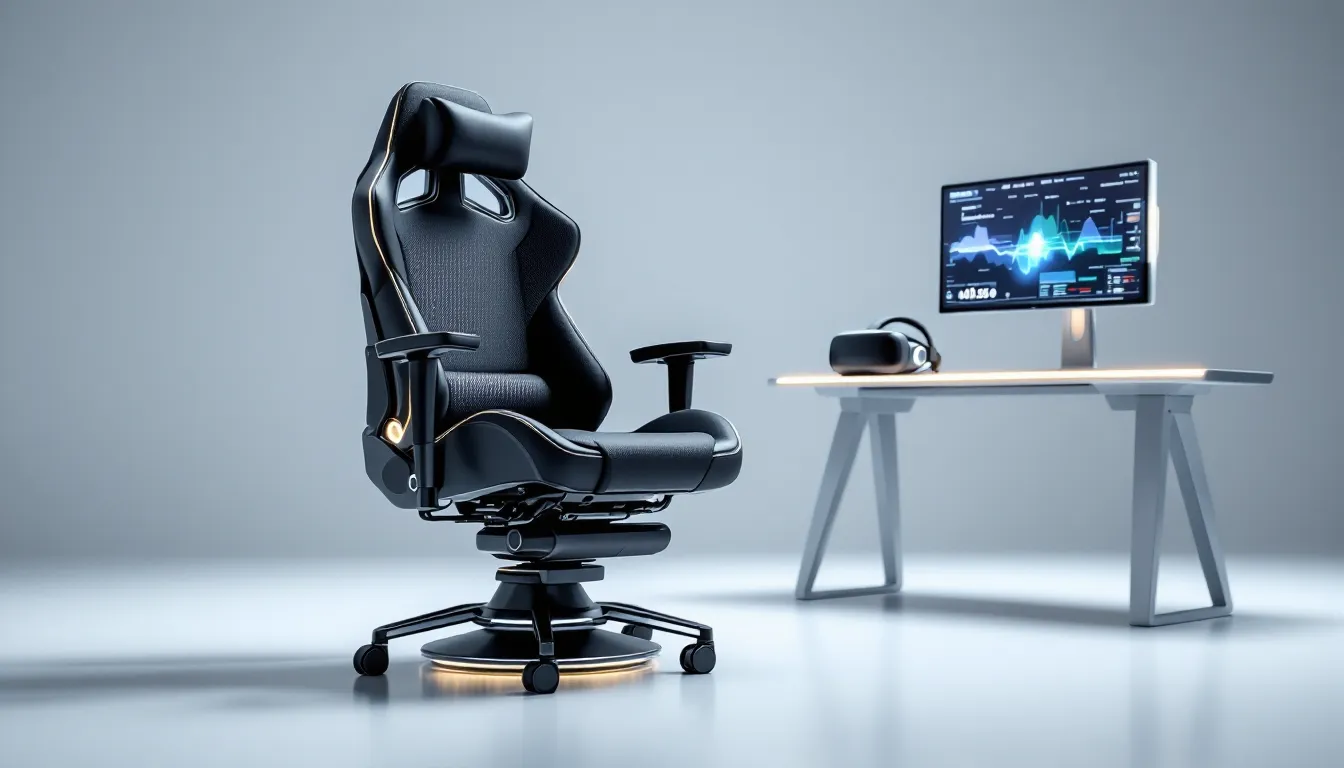

VR has evolved past standing-room-only experiences. Whether you’re dogfighting in flight sims, carving corners in rally racers, or exploring sprawling open worlds, the right seating can transform how you feel every moment. A VR gaming chair isn’t just about comfort, it’s about syncing your physical position with what’s happening in-headset, reducing fatigue, and keeping you locked in for marathon sessions.
By 2026, the market has split into distinct categories: stationary ergonomic chairs for seated VR, motion platforms that tilt and roll with your racing line, and full-motion pods that shake, vibrate, and rotate through six degrees of freedom. If you’re shopping for your first VR chair or upgrading from a standard office seat, this guide breaks down what matters, what’s available, and how to choose without burning cash on features you’ll never use.
Key Takeaways
- A VR gaming chair eliminates distractions and reduces fatigue during extended sessions by syncing your physical position with in-headset movement, improving immersion and comfort.
- VR gaming chairs fall into three main categories: stationary ergonomic chairs ($150–$600), motion-enabled racing and flight simulator chairs ($800–$3,000), and full-motion 6DOF pods ($5,000+), each suited to different play styles and budgets.
- Motion simulation and haptic feedback measurably improve reaction time and spatial awareness in racing and flight sims by delivering physical cues—like weight transfer and turbulence—that match visual feedback in real-time.
- Proper setup, including cable management, motion calibration, and space planning, is critical to unlocking a VR gaming chair’s full potential and preventing frustration or hardware failure.
- Key features to prioritize when choosing a VR gaming chair are ergonomic design with adjustable lumbar support, breathable materials for long sessions, 360-degree swivel capabilities, and cable routing channels over flashy add-ons like RGB lighting.
What Is a VR Gaming Chair and Why Does It Matter?
A VR gaming chair is purpose-built seating designed to support virtual reality gameplay. Unlike a standard gaming chair optimized for flat-screen use, VR chairs account for head-mounted displays, cable routing, free head movement, and, depending on the model, physical motion that mirrors in-game action.
The category spans simple static seats with VR-friendly ergonomics to advanced motion simulators that pitch, yaw, and deliver haptic feedback synced to game events. What they all share: a design philosophy centered on keeping you comfortable and immersed while your head and upper body move independently of the backrest.
How VR Gaming Chairs Differ from Traditional Gaming Chairs
Traditional gaming chairs are built for desktop or console play. High backs, neck pillows, and armrests work great when you’re facing a monitor. In VR, that changes.
Head and upper-body mobility matter more. A tall backrest can interfere when you lean forward to check cockpit instruments or twist to track an opponent. VR chairs often feature mid- or low-back designs, wider shoulder clearances, and adjustable or removable armrests to avoid collisions with controllers.
Cable management is another differentiator. VR headsets tether to PCs or breakout boxes, and the last thing you want is a cable snagging on a chair mechanism mid-session. Purpose-built VR chairs include routing channels, velcro straps, or ceiling-mount-compatible designs to keep cables out of your way.
Motion integration is where advanced models pull ahead. Static gaming chairs don’t move. VR racing chairs and motion platforms tilt, vibrate, and rotate, syncing with telemetry from your sim rig or game engine to simulate G-forces, terrain bumps, or turbulence.
The Evolution of VR Seating Technology
Early VR adopters made do with office chairs or repurposed racing seats. By 2020, manufacturers started releasing dedicated VR chairs with basic features: swivel bases, breathable mesh, and headset-friendly profiles.
The real shift came when haptic feedback and motion simulation trickled down from industrial and arcade hardware. By 2023, mid-tier VR racing chairs included two-axis tilt platforms synced via SimTools or SimHub. Premium models added tactile transducers, bass shakers that rumble with engine vibrations or gunfire.
In 2026, the landscape is mature. Entry-level VR chairs focus on ergonomics and cable management. Mid-range models add motion and haptics. High-end pods integrate full six-degree-of-freedom (6DOF) motion, RGB lighting, built-in audio, and universal software compatibility across PCVR, Quest, and PSVR 2. The tech has moved from niche enthusiast territory to a real consideration for anyone serious about sim racing or flight.
Key Features to Look for in a VR Gaming Chair
Not all VR chairs are created equal. Understanding which features actually improve your experience, and which are marketing fluff, saves you from buyer’s remorse.
Motion Simulation and Haptic Feedback
Motion simulation means the chair physically moves in response to in-game events. Two-axis platforms tilt forward/backward and side-to-side, mimicking pitch and roll. Three-axis systems add yaw (rotation). Full 6DOF platforms include heave, sway, and surge, vertical, lateral, and longitudinal movement.
For racing and flight sims, motion makes a measurable difference. You feel weight transfer through corners, turbulence on approach, or recoil from firing a cannon. It’s not just immersion, it gives you physical cues that improve reaction time and spatial awareness.
Haptic feedback uses tactile transducers (bass shakers) mounted to the seat and backrest. These vibrate at specific frequencies to simulate engine rumble, road texture, explosions, or gunfire. High-end models feature multi-channel haptics with independent control for seat, backrest, and pedal plate.
Look for chairs with telemetry integration via SimHub, SimTools, or native game support. Generic vibration motors pale compared to transducers driven by real-time telemetry data.
360-Degree Swivel and Rotation Capabilities
A full swivel base is non-negotiable for room-scale VR or cockpit sims where you need to check six. Cheap VR chairs use basic office-chair casters. Better models include lockable rotation so you can fix your orientation for racing or allow free spin for standing transitions.
Some motion platforms add motorized rotation, the chair itself turns in sync with your vehicle’s yaw. This is killer for rally sims and flight combat, where you’re constantly banking and turning.
Check the rotation range. Budget models may limit rotation to 270 degrees to prevent cable wrap. Premium chairs with wireless compatibility or cable retractors offer unrestricted 360-degree spin.
Ergonomic Design and Long-Session Comfort
VR sessions stretch longer than flat-screen gaming because immersion kills time awareness. Comfort isn’t optional.
Lumbar and neck support matter, but they need to be adjustable or removable. A fixed headrest that works for monitor gaming might block your headset’s back strap or limit head movement in VR.
Seat width and depth should accommodate your frame without pinching. Racing-style bucket seats look cool but can feel restrictive during three-hour endurance races. Wider GT-style seats or mesh designs offer better ventilation and long-haul comfort.
Material choice impacts heat buildup. PU leather looks premium but traps sweat. Breathable mesh, fabric blends, or perforated Alcantara-style covers keep you cooler.
Adjustability is key. Seat height, tilt angle, armrest height and width, and recline angle should all be independently adjustable to fit your body and play style.
Cable Management and Wireless Compatibility
Nothing kills immersion like yanking your headset cable loose mid-drift. Effective cable management is a core VR chair feature.
Routing channels along the backrest or base guide your headset cable from PC to overhead. Some chairs include cable retractors or pulley systems that keep tension off your head and follow your movement.
Wireless headset support is increasingly relevant. Quest 3, Vive Focus, and wireless adapters for Index or PSVR 2 eliminate tether hassles entirely. If you’re running wireless, look for chairs with battery integration or charging mounts for your headset or controller.
For tethered setups, check that the chair’s motion range doesn’t exceed your cable’s slack. Some motion platforms include cable wrap protection that limits rotation to prevent tangling.
Types of VR Gaming Chairs Available in 2026
VR chairs fall into three broad categories, each suited to different play styles and budgets.
Stationary VR Chairs for Seated Experiences
These are ergonomic chairs optimized for VR but without motion hardware. They emphasize comfort, cable management, and freedom of movement.
Ideal for story-driven VR games, puzzle titles, social VR, and any experience where you’re seated but not in a vehicle. Think Half-Life: Alyx, Resident Evil Village VR, or VRChat.
Key features include wide swivel bases, breathable materials, low-profile backs that don’t obstruct headsets, and integrated cable routing. Price ranges from $150 for basic models to $600 for premium ergonomic designs.
Best for gamers who split time between seated VR and traditional desktop gaming, or anyone not focused on sim racing or flight.
Motion-Enabled VR Racing and Flight Simulators
These chairs add tilt and haptic feedback to simulate vehicle motion. They range from basic two-axis platforms to advanced three-axis systems with surge and sway.
Designed specifically for sim racing (iRacing, Assetto Corsa Competizione, Automobilista 2) and flight simulation (DCS World, Microsoft Flight Simulator, IL-2 Sturmovik). The motion and haptics sync with telemetry data, giving physical cues for braking, cornering, turbulence, and G-forces.
These chairs usually mount to dedicated sim rigs with wheel/pedal or HOTAS setups. Standalone models exist but are less common. Expect to pay $800–$3,000 depending on degrees of freedom, haptic channels, and build quality.
Most require software configuration (SimHub, FlyPT Mover, or proprietary apps) and Windows-based PCVR setups. Console compatibility is hit-or-miss.
Full-Motion VR Pods and Cockpits
The top tier. These are enclosed or semi-enclosed platforms with full 6DOF motion, multi-channel haptics, integrated audio, and sometimes built-in displays or VR headset mounts.
Built for maximum immersion across racing, flight, space sims, and mech combat. Some models include motion-canceling gimbals that keep your head stable while the seat moves beneath you, reducing motion sickness.
Pods like the DOF Reality P6 or Next Level Racing Motion Platform V3 offer professional-grade motion fidelity used in esports training and sim racing leagues. Prices start around $5,000 and climb past $15,000 for commercial-grade hardware.
These are overkill for casual VR users but transformative for dedicated sim racers, flight sim enthusiasts, or content creators building immersive setups.
Top VR Gaming Chairs Reviewed
Here’s a rundown of standout models across price and feature brackets, current as of Q1 2026.
Best Overall VR Gaming Chair
Secretlab Titan Evo VR Edition (2026)
Secretlab’s VR-specific variant of the Titan Evo adds a mid-back profile, integrated cable routing along the spine, and a magnetic headset mount on the side panel. The NEO Hybrid Leatherette keeps you cool during long sessions, and the 4D armrests move out of the way when you’re swinging controllers.
No motion or haptics, but the ergonomics and build quality are top-tier. Compatible with any VR headset, works great for both seated VR and flat-screen gaming. Price: ~$649.
Best for gamers who want one chair that handles everything and aren’t chasing motion simulation.
Best Budget-Friendly Option
Respawn VR-110 Gaming Chair
A no-frills stationary chair with a lower backrest, breathable mesh, and basic cable clips along the rear. It won’t win design awards, but it’s comfortable enough for two-hour sessions and costs under $200.
Swivel is smooth, assembly is straightforward, and the mesh keeps temps down in warmer climates. Skip it if you’re over 6’2″ or 250 lbs, it’s sized for average builds.
Best for newcomers to VR or casual players on a budget.
Best for Racing and Flight Sims
Next Level Racing Motion Platform V3
A three-axis motion platform with integrated tactile transducers and SimHub compatibility out of the box. It mounts to Next Level’s F-GT or GT Track cockpits, supporting wheels, pedals, and HOTAS.
Motion range is enough to feel weight transfer and banking without inducing nausea. The haptics deliver engine rumble, gear shifts, and road texture with surprising fidelity. Setup takes a few hours, and you’ll need to dial in motion curves per sim, but once tuned it’s transformative for iRacing or DCS.
Price: ~$2,499 for the platform, ~$3,200 bundled with cockpit. Requires PCVR and Windows 10/11.
Best for serious sim racers and flight sim pilots who want measurable immersion gains.
Best Premium Motion Platform
DOF Reality P6
A six-degree-of-freedom platform with actuators for pitch, roll, yaw, heave, sway, and surge. It supports up to 200 kg, works with any sim rig or chair (universal mounting), and integrates with SimTools, FlyPT, and major sim titles via plugins.
Motion is smooth and responsive, with adjustable intensity per axis. Haptics are optional add-ons. Build quality is industrial-grade, this thing will outlast your rig.
Price: ~$6,999. Requires dedicated space (footprint is about 1.5m x 1.5m) and 220V power in some regions.
Best for dedicated sim racers, flight sim enthusiasts, or content creators building pro-level setups. Overkill for anything else, but unmatched if you’re all-in on simulation.
Benefits of Using a VR Gaming Chair
Investing in a VR-specific chair delivers tangible improvements over generic seating, especially if you’re logging serious hours in VR.
Enhanced Immersion and Presence
Immersion in VR comes from aligning physical and virtual sensations. When your chair tilts as you corner or vibrates as your spaceship’s shields take fire, your brain buys in harder. The disconnect between what you see and what you feel shrinks.
Motion platforms and haptics don’t just add novelty, they close the sensory loop. You react faster in racing sims because you feel weight transfer before you see the car rotate. You anticipate turbulence in flight sims because the chair cues you before your instruments do.
Even stationary VR chairs improve presence by eliminating distractions. No cable snags, no awkward backrest collisions, no slipping out of position mid-session.
Reduced Motion Sickness and Fatigue
Counter-intuitively, motion simulation can reduce VR motion sickness for many users. When your inner ear feels movement that matches what your eyes see, the sensory conflict that causes nausea diminishes.
This isn’t universal, some people are more sensitive, but studies and anecdotal reports from the sim racing community consistently show that gentle motion helps acclimate users to VR faster than static seating.
Ergonomic VR chairs also cut physical fatigue. Proper lumbar support, seat depth, and adjustable armrests mean less lower-back strain and neck tension during extended play. You can stay in VR longer without discomfort forcing you out.
Improved Comfort During Extended VR Sessions
Comfort directly impacts session length. A poorly designed chair turns a three-hour endurance race into a test of willpower. A good VR chair disappears, you stop thinking about it.
Breathable materials prevent sweat buildup. Adjustable components let you fine-tune fit. Cable management keeps you from ripping your headset off accidentally. These aren’t flashy features, but they’re the difference between finishing a race and rage-quitting because your lower back is screaming.
How to Set Up Your VR Gaming Chair for Maximum Performance
Buying the right chair is step one. Setting it up correctly is what unlocks its potential.
Choosing the Right Space and Layout
VR chairs, especially motion platforms, need dedicated space. Measure your play area before you buy.
Stationary chairs require roughly the same footprint as a standard office chair, plus clearance for swiveling and arm movement. Budget 2m x 2m minimum for comfortable room-scale VR.
Motion platforms need more. A three-axis rig can tilt and rotate beyond its base footprint. Add at least 0.5m clearance on all sides to avoid hitting walls or furniture. Also account for ceiling height if you’re using overhead cable management.
Cable routing matters for tethered VR. Mount cable retractors or pulleys directly above your chair position. Slack should allow full head movement and chair rotation without tension. If you’re using a motion platform, route cables through the platform’s frame to prevent snags on moving parts.
Hardwood or tile floors work best. Thick carpet can interfere with motion platform leveling and stability.
Configuring VR Headset Compatibility
Most VR chairs are headset-agnostic, but motion and haptics require software configuration.
PCVR setups (Index, Quest via Link, Vive, PSVR 2 on PC) offer the most flexibility. SimHub, SimTools, and FlyPT Mover support nearly every major sim title and export telemetry to motion platforms and haptic transducers.
For hardware reviews and benchmarks on VR-ready PCs, Tom’s Hardware regularly tests GPUs and CPUs against VR performance targets.
Standalone Quest 3 or Quest Pro users face limitations. Native Quest titles rarely export telemetry for motion rigs. You can use third-party apps like OpenVR2WS or SimFeedback to bridge some gaps, but compatibility is spotty.
PSVR 2 on PS5 has zero motion platform support. Sony’s ecosystem is closed, and telemetry isn’t exposed to third-party hardware. If you’re PlayStation-exclusive, skip motion chairs.
Optimizing Motion Settings and Calibration
Out-of-the-box motion settings are always too aggressive or too subtle. You’ll need to tune them.
Start with low gain (motion intensity) and gradually increase until you feel distinct feedback without nausea. Most platforms let you adjust gain per axis, reduce yaw if rotation makes you queasy, or boost pitch for better braking feel.
Smoothing filters reduce jerkiness but add latency. Lower smoothing feels more immediate but can induce nausea in bumpy sims. Start with moderate smoothing and adjust per title.
Telemetry refresh rate should match or exceed your VR headset’s refresh rate. If your headset runs at 90Hz, set telemetry polling to 90Hz or higher to avoid lag between visual and physical cues.
Save profiles per sim. What works for iRacing oval racing won’t feel right in DiRT Rally 2.0. Most motion software supports per-game profiles that load automatically.
Common Mistakes to Avoid When Buying a VR Gaming Chair
A few common pitfalls trip up first-time VR chair buyers. Avoid these to save cash and frustration.
Ignoring weight and height limits. Many VR chairs and motion platforms specify max load and user height. Exceed them and you’ll suffer poor ergonomics, premature wear, or, in the case of motion platforms, actuator failure. Check specs before you buy.
Overlooking software compatibility. Motion platforms and haptics require specific software and game support. Verify that your sim titles export telemetry and that the chair’s software runs on your OS. Don’t assume plug-and-play.
Buying motion hardware for non-sim games. Motion and haptics shine in racing and flight sims where telemetry is rich. In story-driven VR or social titles, motion adds little and you’re paying for hardware you won’t use. Match the chair type to your play style.
Skimping on cable management. Even the best chair becomes frustrating if cables snag or yank your headset. Budget for retractors, pulleys, or go wireless if possible.
Underestimating space requirements. Motion platforms are bigger than they look in promo videos. Measure your space and account for clearance. A rig that doesn’t fit your room is a very expensive coat rack.
Ignoring return policies and warranties. VR chairs, especially motion platforms, are complex. Components fail, compatibility issues arise, and setup can be finicky. Buy from retailers with solid return windows and manufacturers that offer at least a one-year warranty.
Chasing features you don’t need. RGB lighting, motorized recline, and built-in speakers sound cool but add cost without improving core VR performance. Prioritize ergonomics, motion quality, and compatibility first.
VR Gaming Chair vs. Standing VR: Which Is Right for You?
Seated VR and standing VR serve different experiences. Neither is objectively better, it depends on what you play.
Standing VR suits action titles, room-scale exploration, and games with lots of movement. Beat Saber, Pavlov VR, Boneworks, and Blade & Sorcery all benefit from full-body freedom. You dodge, duck, and reach in ways that seated play can’t replicate.
Downsides: standing for hours is tiring, cable management is harder, and you need more play space. It’s also impractical for sim racing or flight where you’re meant to be in a cockpit.
Seated VR dominates in racing, flight, space sims, strategy games, and narrative experiences where movement is limited or vehicle-based. Assetto Corsa, DCS World, Elite Dangerous, I Expect You to Die, and Moss are all designed for seated play.
Benefits: less fatigue, easier cable management, compatibility with wheels and HOTAS, and the option to add motion and haptics for deeper immersion. Drawbacks: you sacrifice full-body tracking and room-scale mobility.
Many VR enthusiasts use both. A VR gaming chair handles sims and long narrative sessions. Standing play covers fitness, action, and social VR. If you can only choose one, think about your library. If it’s 70% sim racing or flight, a VR chair makes sense. If it’s rhythm games and shooters, stay standing.
The Future of VR Gaming Chairs: What to Expect
The VR chair market is maturing fast, and several trends are shaping what’s coming next.
Wireless headset adoption is accelerating. Quest 3’s success and wireless adapters for PCVR headsets are reducing cable headaches. Expect future VR chairs to lean harder into wireless compatibility, with integrated charging docks and headset mounts becoming standard.
Standardized telemetry protocols are emerging. SimHub and OpenXR extensions are pushing toward universal telemetry formats, making motion and haptics easier to configure across titles. This lowers the barrier for casual users who don’t want to mess with per-game tuning.
AI-driven motion tuning is on the horizon. Some manufacturers are experimenting with machine learning that analyzes your play style and auto-adjusts motion curves for comfort and immersion. Early implementations are rough, but the concept has legs.
Modular platforms are gaining traction. Instead of buying a complete rig, users can start with a base chair and add motion actuators, haptics, or cockpit attachments as budget allows. This makes premium setups more accessible.
Standalone VR optimization is slowly improving. As Quest and other standalone platforms mature, developers and hardware makers are working on ways to export telemetry without PCVR. Don’t expect parity with PC anytime soon, but the gap is narrowing.
Affordability is trending down. Competition and component cost reductions are pushing quality VR chairs under $500 and basic motion platforms closer to $1,500. What cost $3,000 in 2023 now runs $2,000 or less.
For gamers exploring VR gaming ecosystems, chairs are becoming a core part of the hardware stack, not a niche accessory. Expect continued innovation and broader adoption through 2027 and beyond.
Conclusion
A VR gaming chair isn’t essential for every VR user, but for sim racers, flight enthusiasts, and anyone logging serious seated VR hours, it’s a game-changer. The right chair improves comfort, reduces fatigue, and, if you opt for motion and haptics, adds a layer of immersion that flat-screen gaming can’t touch.
Whether you’re shopping for a $200 stationary chair to replace your creaky office seat or a $6,000 motion platform for a dedicated sim rig, prioritize what actually matters: ergonomics that fit your body, compatibility with your VR ecosystem, and features that align with the games you play.
Skip the gimmicks, measure your space, and don’t underestimate the value of cable management. Set up correctly, a VR gaming chair becomes invisible, you stop thinking about the hardware and lose yourself in the experience. And that’s the whole point of VR in the first place.